


How to Get System Fields in Sitecore GraphQL Query
Access Sitecore System Fields in GraphQL for Sitecore XP/XM 10.4 Headless SXA
Posted on January 18, 2026 • 6 minutes • 1088 words
Table of contents
When you migrate from a traditional Sitecore CMS to Sitecore Headless and Sitecore’s Composable DXP, and there may be business logic in Sitecore MVC which might be accessing the system fields (__Created, __Updated) and you also need these system fields in GraphQL queries for rendering in JSS components or Next.js applications. This article explains how to configure your setup to make these Sitecore standard fields (Created Date, Updated Date) available and how to query them correctly.
The official Sitecore documentation Making fields from the standard template publishable suggests adding a patch configuration to include system fields in GraphQL queries. However, this approach is designed for SitecoreAI (formerly XM Cloud) and does not work for Sitecore XP/XM Headless Services.
Here’s the patch configuration that fails in Sitecore XP or Sitecore XM Headless setups:
<!-- Sitecore GraphQL/Experience Edge: This patch makes standard template fields (such as __Created, __Updated, __Owner) available for querying and publishing via the Experience Edge API. Enables access to system fields in headless and composable SitecoreAI solutions for enhanced content auditing, metadata, and integration scenarios. See Sitecore docs: Making fields from the standard template publishable. https://doc.sitecore.com/sai/en/developers/sitecoreai/making-fields-from-the-standard-template-publishable.html -->

<configuration xmlns:patch="http://www.sitecore.net/xmlconfig/">
  <sitecore>
    <api>
      <GraphQL>
        <defaults>
          <standardFieldsResolver>
            <supportedStandardFields>
              <field name="__Owner" />
              <field name="__Updated" />
              <field name="__Created" />
            </supportedStandardFields>
          </standardFieldsResolver>
        </defaults>
      </GraphQL>
    </api>
  </sitecore>
</configuration>
Sitecore system fields, such as Created and Updated date, are typically excluded from GraphQL schemas in Sitecore Headless setups to reduce data exposure. While SitecoreAI (formerly XM Cloud) offers patches for Experience Edge, these do not work for Sitecore XP or Sitecore XM 10.4 due to differences in GraphQL runtime configurations. Attempts to modify the schema using patches like <supportedStandardFields> are ineffective for Sitecore XP or Sitcore XM setups. As a result, queries for these system fields don't work because they aren't part of the default Edge provider schema.
Output:
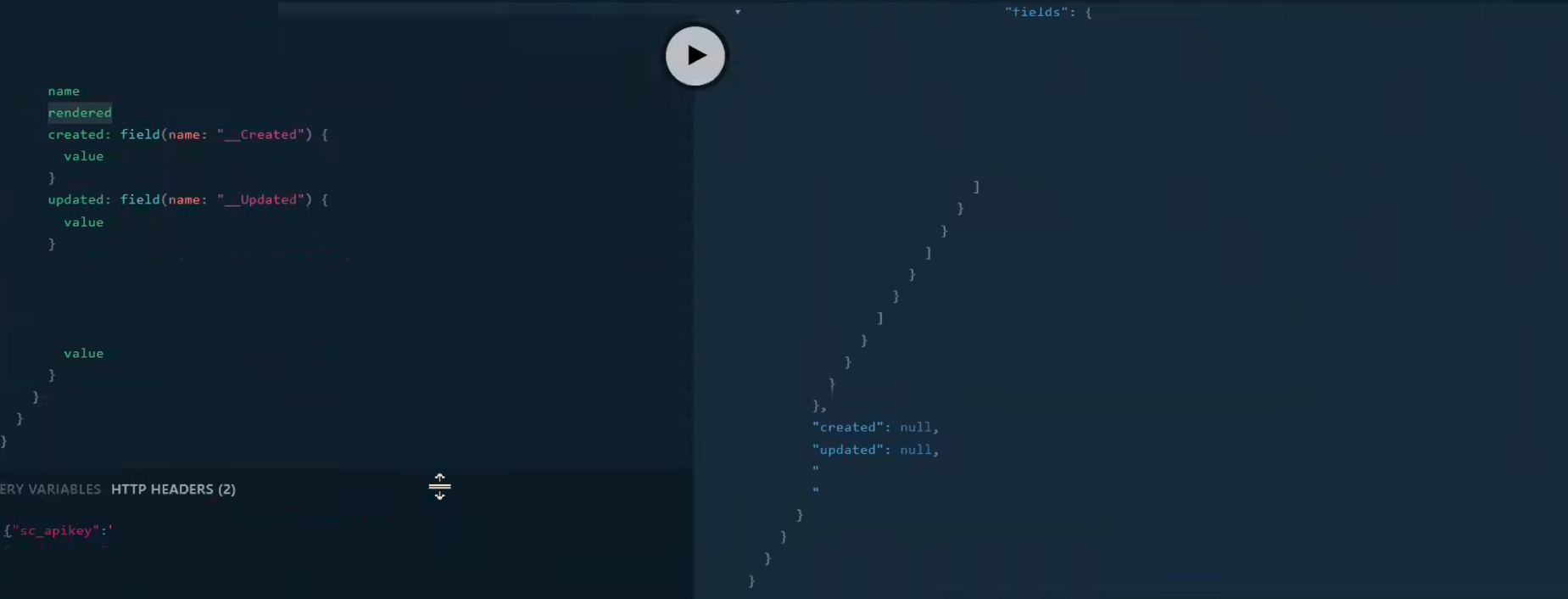
To make Sitecore system fields available in the Edge schema (Edge GraphQL endpoint) for Sitecore XP or Sitecore XM implementation, you need to remove the default exclusion rule that filters out fields starting with __. This adjustment ensures system fields like Created and Updated dates are included when generating the Edge schema for templates.
Important
This only affects the Edge schema (On-prem), not the Sitecore Experience Edge (SaaS) endpoint.
<!-- To include access Sitecore system fields (in Sitecore Layout Service or Sitecore Headless Services) like Created and Updated dates in the Edge GraphQL schema for Sitecore XP or Sitecore XM, remove the default exclusion rule for fields starting with “__”. This adjustment allows these fields to be part of the Edge schema, enhancing data accessibility for templates. Sitecore get system fields in Sitecore headless -->
<configuration>
  <sitecore xmlns:patch="http://www.sitecore.net/xmlconfig/" xmlns:role="http://www.sitecore.net/xmlconfig/role/">
    <api>
      <GraphQL>
        <defaults>
          <content>
            <schemaProviders>
              <edgeContent>
                <templates>
                  <fieldFilter>
                    <exclusions hint="raw:AddFilter">
                      <exclude name="__*">
                        <patch:delete/>
                      </exclude>
                    </exclusions>
                  </fieldFilter>
                </templates>
              </edgeContent>
            </schemaProviders>
          </content>
        </defaults>
      </GraphQL>
    </api>
  </sitecore>
</configuration>
Important
This configuration is essential for developers working with Sitecore Headless Services and JSS to access metadata such as system fields (Created Date, Updated Date).
Initially, your query looked like this:
    query GetItemSystemFields( $contextItem: String!) {
      #---- Retrieve Sitecore system fields by using field(name:"__Created") directly on the Sitecore item.
          layout(site: "Services",routePath: $contextItem, language:"en"){
               item
                  {
                    created: field(name:"__Created") {
                      value
                      jsonValue
                    }
                    updated: field(name:"__Updated") {
                      value
                      jsonValue
                    }
					rendered
                  }
              }
            }

# Query Variables:
# {"contextItem" :"/insights/achieving-work-life-balance"}
When querying these fields in GraphQL, you need a different approach. Instead of using field(name:"__Created"), query them directly at the template level.
Important
This adjustment only works for the Edge schema (Edge GraphQL endpoint) for Sitecore XP or Sitecore XM implementation - it won’t affect the Sitecore Experience Edge (SaaS) endpoint.
On Sitecore 10.4 XP or Sitecore 10.4 XM Edge GraphQL, the usual pattern fails because standard fields aren’t exposed through the generic field() selector, even after you remove the field filter. Instead, these fields become strongly typed properties on the template. To access them, cast the item to its template and read the fields directly.
A working pattern is:
        query GetItemSystemFields( $contextItem: String!) {
      #---- Access Sitecore system fields by using field(name:"__Created") directly at the template level referenced by the Sitecore item.
          layout(site: "Services",routePath: $contextItem, language:"en"){
               item
                  {
                    ... on BlogPost
                    {
                     blog_created: field(name:"__Created") {
                        jsonValue
                      }
                      blog_updated: field(name:"__Updated") {
                        jsonValue
                      }
                    }
					rendered
                  }
              }
            }

# Query Variables:
# {"contextItem" :"/insights/achieving-work-life-balance"}
The jsonValue returns the field in a format that works with JSS field helpers, including DateField rendering in Next.js apps. This method aligns with all Sitecore JSS types and how to use them, offering typed access similar to custom fields.
Output:
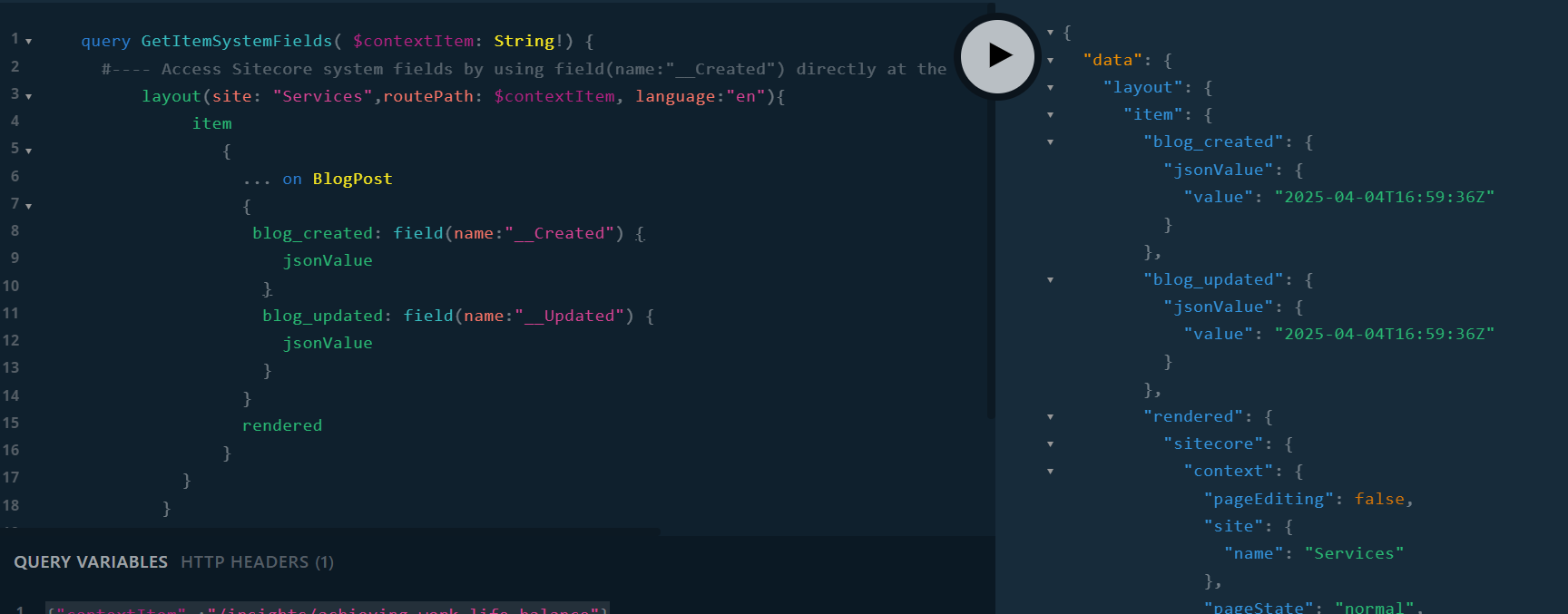
This approach solves common questions like:
- How to get the Sitecore field updated date instead of item updated date?
- How to get the modified date and created date of a Sitecore item?
- How can we get Sitecore field type with GraphQL query?
Enjoyed this guide? Give it a ⭐ and show your support!
Support
If you enjoy this content, consider subscribing 📰 for more updates and insights. Your engagement is very important to me and helps me keep providing valuable resources! 🌟
Accessing system fields in Sitecore 10.4 Headless SXA with Edge GraphQL involves knowing the schema limits. Using the Sitecore Patch Config for Edge GraphQL schema mentioned above, you can access created or modified dates system fields.
This approach keeps your headless project efficient while working within platform constraints. If you are migrating to SitecoreAI (formerly XM Cloud), review the SitecoreAI-specific configurations for better support.
Share Your Experience
For complete setup details and code examples, check the src/platform/App_Config/Include/z.Contoso.Project.Sitecore.XA.JSS.StandardFields.config file in the feature/enable-system-fields-for-edge-graphql
branch. Access the full GitHub repository below 👇 and don’t forget to share your feedback.
Deploy the patch configuration on both Sitecore CM and CD servers to enable access to Sitecore System Fields in Sitecore XP or Sitecore XM Edge GraphQL.
| A big thank you to the Sitecore Support Team for their invaluable guidance on this solution. | Making fields from the standard template publishable | Unicorn code generation, standard fields, and GlassMapper performance issues |
| Component GraphQL Query" field is ignored in Experience Editor | The Experience Edge schema | Publishing to Experience Edge |
| Sitecore Experience Edge for XM | Extend GraphQL schema for custom field | Content SDK Unit Testing |