


How to Fix the Sitecore Docker FSCTL_EXTEND_VOLUME Error on Windows
Docker COPY Failed on Windows
Posted on February 10, 2026 • 5 minutes • 1009 words
Table of contents
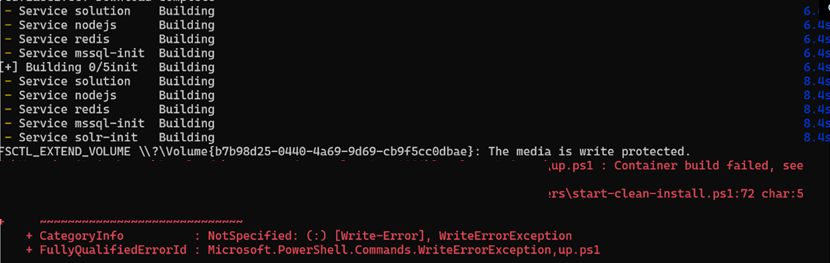
Recently, I needed to work on a project and set up Sitecore 10.4.0 on a Windows 11 machine. The Sitecore 10.4.0 XM0 topology setup stopped working and started showing the error COPY failed: failed to create rwlayer: FSCTL_EXTEND_VOLUME. This error usually happens during image builds and highlights a conflict between Docker’s operations and the Windows file system’s space management.
This guide explains why the error happens, how to fix it quickly, and how to prevent it from happening again, even for large images and CI pipelines.
Error Message Variants
COPY failed: failed to create rwlayer: FSCTL_EXTEND_VOLUME \\?\Volume{GUID}
failed to create rwlayer: write \\?\Volume{GUID}: The volume for a file has been externally altered
ERROR: failed to solve: failed to create rwlayer

FSCTL_EXTEND_VOLUME \\?\Volume{GUID}: The media is write protected.
Error Screenshot
Impact
- Build Process: Interrupts Docker image builds during COPY operations
- Development Workflow: Blocks containerized application development
- CI/CD Pipelines: Causes automated deployment failures
- Time Loss: Can result in hours of debugging and lost productivity
What is FSCTL_EXTEND_VOLUME?
The FSCTL_EXTEND_VOLUME error in Docker on Windows occurs when Docker tries to expand storage for a container’s writable layer but fails due to filesystem limitations. This issue often stems from resource exhaustion or configuration limits, preventing Windows from extending the storage volume. As a result, Docker cannot create the necessary read-write layer, halting the build process. Understanding and addressing these underlying resource constraints can help resolve the error efficiently.
When You'll See It:
- When running a
docker buildcommand, especially at aCOPYorADDstep. - When pulling or building images with lots of files.
- The base image usually downloads without issues; the problem starts when Docker tries to add a writable layer for your changes.
- After system updates or changes to your disk setup.
Before applying fixes, understanding the likely culprit can save time. The main causes are:
Low free disk space on the host machine
Bloated WSL2 VHDX file after months of builds
Uncontrolled growth of Docker images and cache
Large COPY commands in Dockerfiles
Not enough memory allocated to WSL2
Antivirus interference with Docker files, like BitLocker
Corrupted Docker Desktop storage
Quick Diagnostic Commands:
# Check host disk space
Get-PSDrive C | Format-Table Name, @{n='Free(GB)';e={[math]::Round($_.Free/1GB,2)}}

# Check Docker disk usage
docker system df
Output:
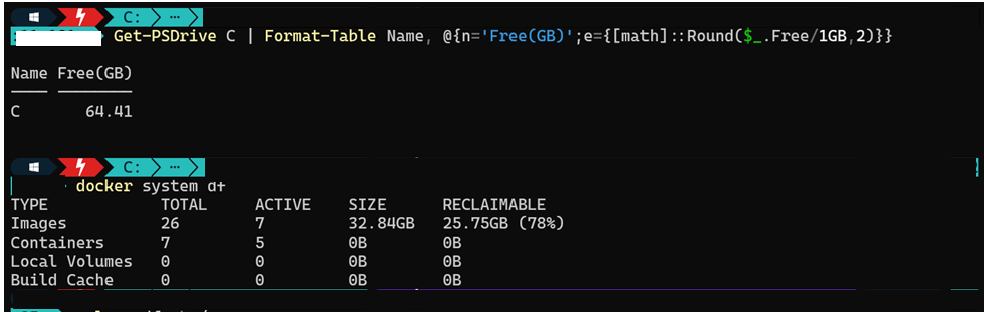
Follow these solutions in order, starting with the simplest and most likely to succeed.
Solution 1: Free Up Disk Space (Quick Win)
Docker quietly accumulates:
- Old images
- Dangling layers
- Unused volumes
- Build cache
Script: Clean everything safely
Why it works: Directly addresses the most common cause: lack of free space. 👉 Aim for at least 20–30 GB free space on your system drive.
Solution 2: Reset Docker Desktop to Factory Settings or Clear Cache
⚠️ Warning: This removes all images, containers, and volumes.
Action: Use Docker Desktop’s UI: Troubleshoot > Reset to factory defaults or Clear / Purge data
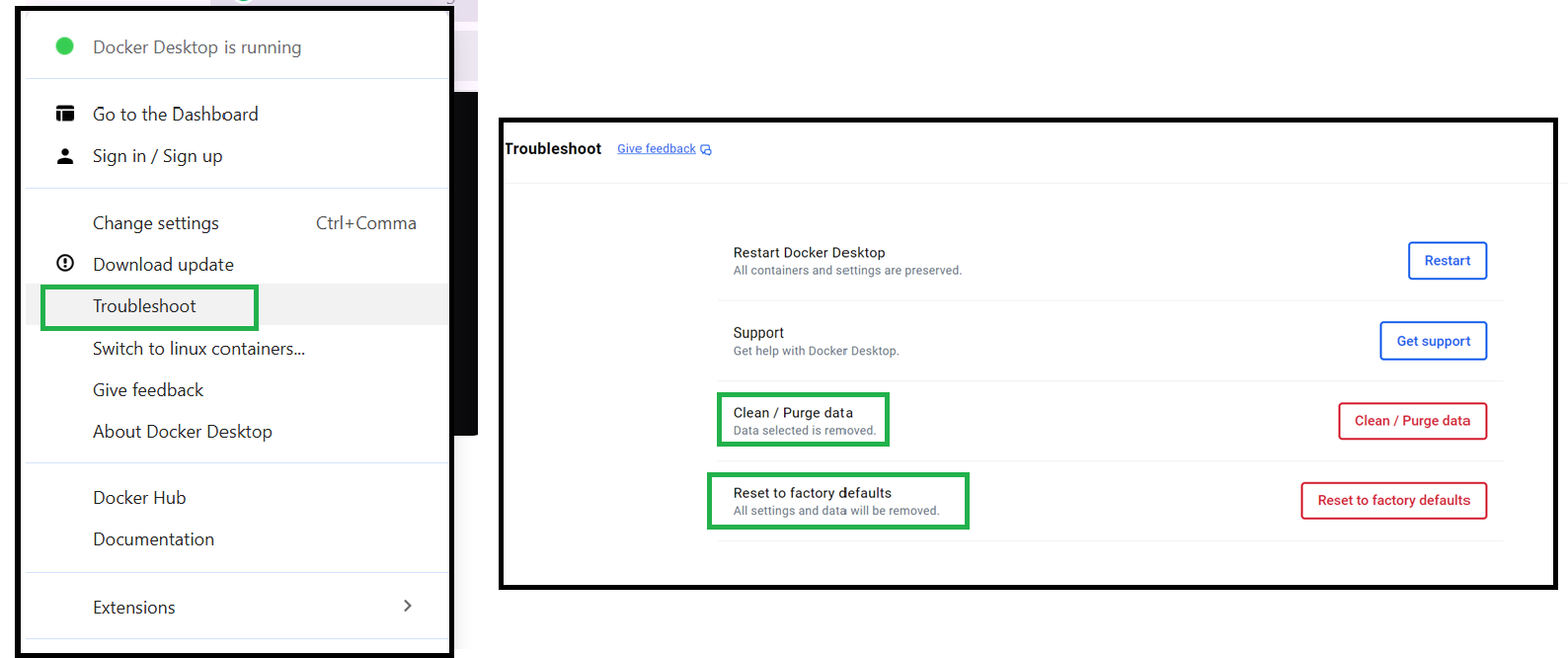
Why it works: Eliminates corruption in Docker’s internal data structures, offering a clean slate.
Solution 3: Update BitLocker Drive Encryption
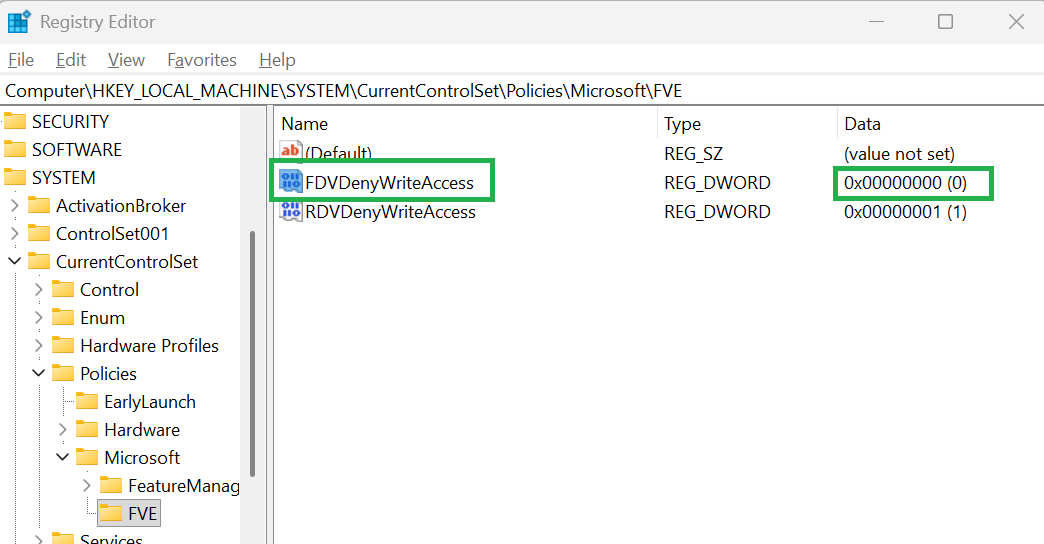
The value of FDVDenyWriteAccess is set to 1 at the HKEY_LOCAL_MACHINE\SYSTEM\CurrentControlSet\Policies\Microsoft\FVE registry key. This key manages BitLocker Drive Encryption (FVE = Full Volume Encryption) policies, which control security settings for removable drives and device encryption behavior. It is often used to block writing to non-encrypted USB drives or to turn off automatic device encryption.
Before Update
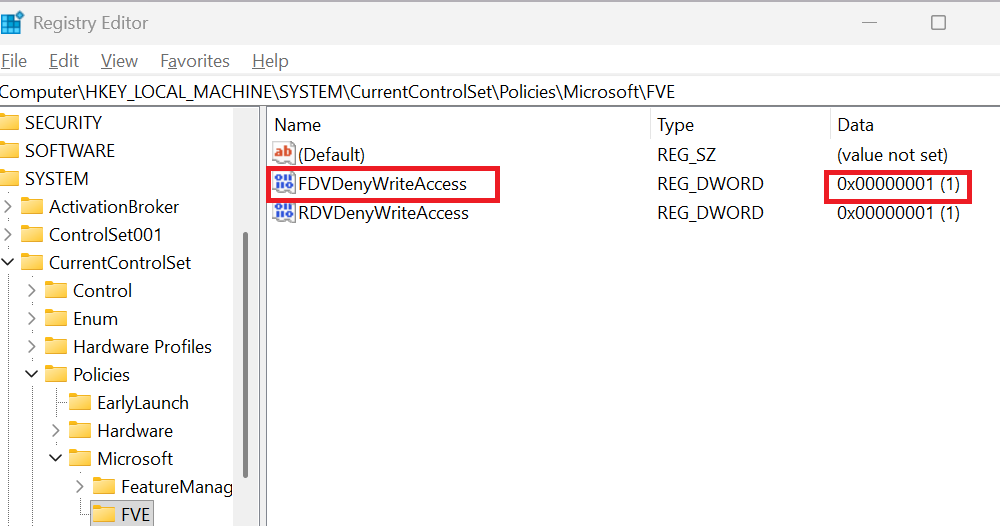
To fix the FSCTL\_EXTEND\_VOLUME write protection error, you need ADMIN access to change the value of FDVDenyWriteAccess to 0.
After Update
Solution 4: Install the Latest Version of Docker Desktop
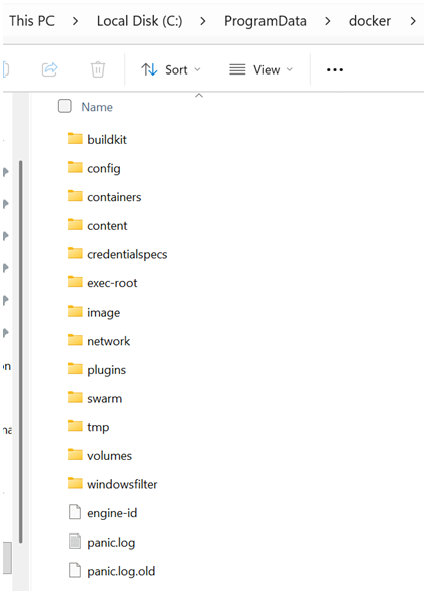
Install the latest version of Docker Desktop and before that clear the content present at %ProgramData%\docker on Windows Server.
Solution 5: Configure Antivirus Exclusions
Action: Add Docker and WSL2 paths to your antivirus software’s exclusion list.
Key Paths to Exclude: C:\Program Files\Docker, %LOCALAPPDATA%\Docker, %LOCALAPPDATA%\Packages\*WSL*, \\wsl$.
Why it works: Prevents real-time scanning from interfering with Docker’s rapid file system operations.
Regular Maintenance Schedule
Create a maintenance calendar:
| Frequency | Task | Command |
|---|---|---|
| Daily | Check disk space | Get-PSDrive C |
| Weekly | Prune containers | docker container prune -f |
| Weekly | Prune images | docker image prune -a -f; docker volume prune -f |
| Bi-weekly | Compact WSL VHDX | Optimize-VHD |
| Monthly | Full system cleanup | docker system prune -a --volumes -f |
| Monthly | Review Docker logs | Check $env:LOCALAPPDATA\Docker |
| Quarterly | Update Docker Desktop | winget upgrade Docker.DockerDesktop |
Monitoring Dashboards
Monitors Docker Desktop health metrics including disk space, WSL2 VHDX size, and Docker resource usage. Provides warnings when disk space falls below thresholds.
Script: Monitors Docker Desktop health
Output

Event Viewer Analysis
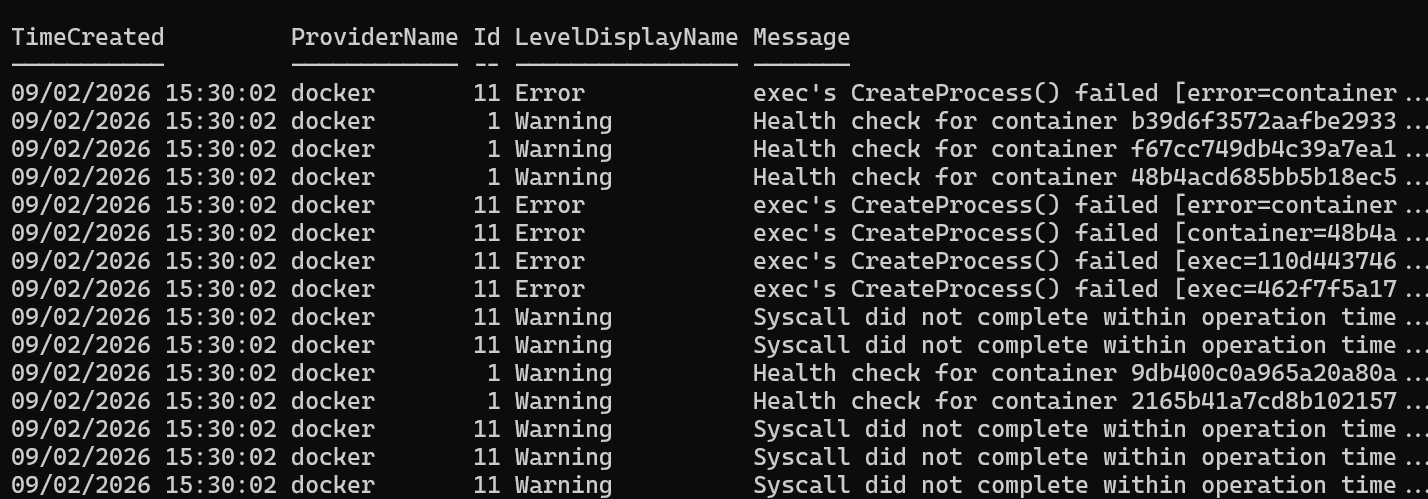
Retrieves and analyzes Windows Event Logs for errors and warnings related to Docker Desktop, Hyper-V, and WSL2 (Windows Subsystem for Linux).
Script: Retrieves and analyzes Windows Event
Output
Performance Monitoring
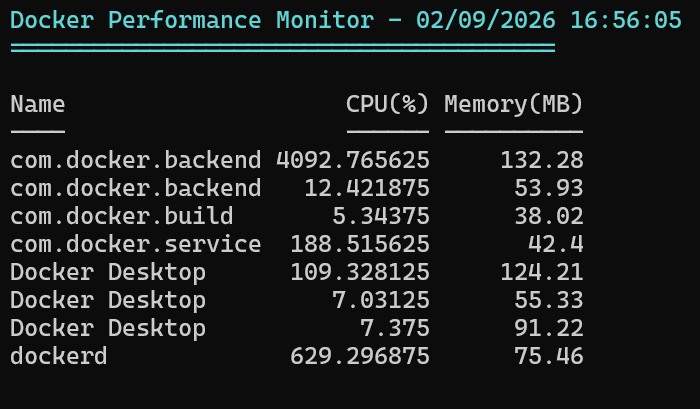
Real-time Docker Performance Monitor
Script: Docker Performance Monitor
Output
Enjoyed this guide? Give it a ⭐ and show your support!
Support
If you enjoy this content, consider subscribing 📰 for more updates and insights. Your engagement is very important to me and helps me keep providing valuable resources! 🌟
To effectively tackle the Docker FSCTL_EXTEND_VOLUME error on Windows, focus on freeing disk space, compacting the WSL2 VHDX file, and optimizing resource limits. Regular maintenance and cleanup will prevent build failures, ensuring smooth and reliable Docker Desktop performance.
Explore More & Share Your Feedback
This repository provides ready-to-use Docker container images and configuration for the following Sitecore topologies, all supporting Headless SXA:
- Sitecore XM0 Topology
- Sitecore XM1 Topology
- Sitecore XP0 Topology
- Sitecore XP1 Topology
Share your feedback or contribute to support the Sitecore developer community!